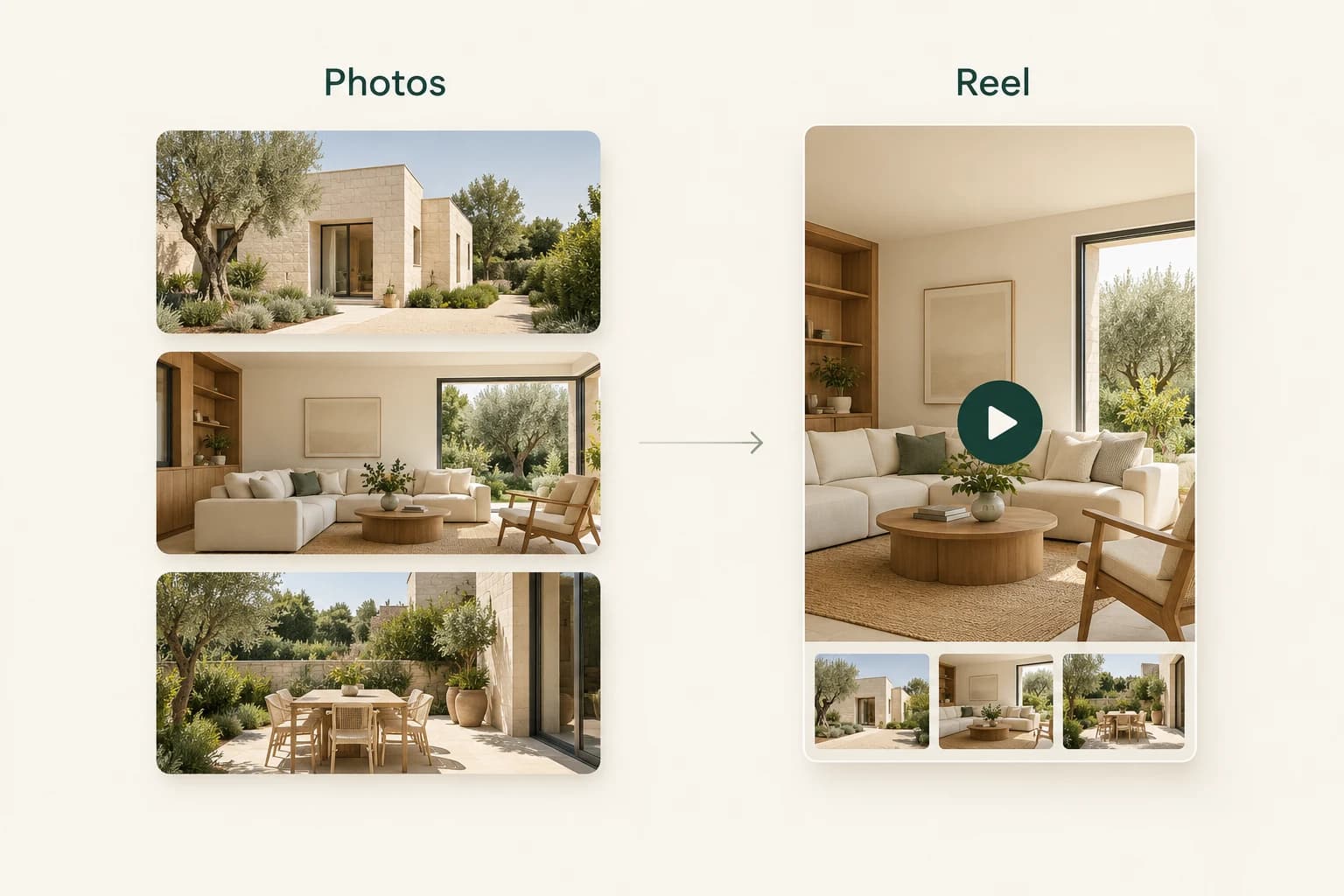
A listing agent asks for a short reel after receiving the finished photographs. There is no recorded video from the shoot, and returning to the property is not part of the brief.
AI-generated motion offers one possible add-on, provided both sides understand what is being delivered. It is a reel made from the photographs, not newly captured footage or a continuous walkthrough. That distinction belongs in the service description before production begins.
Agree the deliverable before generating
Specify the source photo set, intended channel, output format and number of review rounds. Confirm whether the job includes post copy, on-screen titles, music or just the assembled visual sequence. These are separate pieces of work.
A practical scope might be one vertical reel built from four approved photographs, one factual social caption and one review round. Describe it as AI-generated motion based on the supplied photos. Do not promise that the camera will reveal an accurate view of areas that were never photographed.
Check your agreement with the agent and any other rights holders. Permission to deliver stills does not automatically settle who may create altered versions, license music or publish them on every channel.
Prepare a short sequence from the stills
Finish the source photographs first. Correct accidental tilt and inconsistent framing in your normal photo workflow. Lightroom's crop and geometry tools are useful for that preparation; retain the originals separately.
Choose images with different roles rather than four near-identical angles. An exterior establishes the property, a living space introduces the interior, and a terrace or detail can provide an ending. Pick a sequence that feels coherent without implying that adjacent clips document connected rooms.
Check how each photograph will sit in the intended format. A wide composition can become cramped in a vertical reel. Do not let a crop hide the feature the client wanted to show.
Generate and review the motion
In Propviz, create a Listing to Reel project and upload the approved photos. Select the images, review the proposed sequence and check the displayed generation cost. Generate the clips, then assess each one before approving the assembled reel.
Watch for defects that are easy to miss in a still: window frames bending during a move, furniture changing shape, reflections drifting or objects appearing at the frame edge. View each clip at normal speed and pause on anything suspicious.
A clip that invents a doorway or changes a kitchen fitting should not be delivered as an accurate view of the property. Revise the selection or replace the problematic clip. The client should not have to discover the error after publication.
Arrange the accepted clips into a clear order and review the complete assembled reel from start to finish. Confirm the opening, transitions, crop and ending. The photo-to-reel guide covers the studio workflow in more detail.
Keep social copy and video finishing separate
Propviz can help draft the accompanying social caption, which you can edit and copy separately. That caption is not automatically burned into the video. Check every property fact and remove generic claims that the source listing does not support.
If the agreed package includes on-screen text or more detailed finishing, take the exported reel into your normal video editor. DaVinci Resolve's Edit page supports titles and subtitles, making it one option for adding controlled typography after generation.
Only add music or other assets you have appropriate rights to use. If the agent plans to add platform-native audio, deliver a clean version and make that responsibility explicit. Avoid supplying a finished soundtrack that cannot be used in the intended commercial context.
Make the handoff hard to misunderstand
Send a small, organised delivery rather than a folder of every experiment:
- The approved reel, named with the property and version.
- The checked social caption as separate text.
- A note identifying AI-generated motion and any staged source images.
- Posting instructions or remaining client actions, if any.
Confirm that the downloaded file is the complete reel and plays correctly outside the studio. Propviz downloads require a paid plan; review the current terms when costing the service. Your quotation should account for review and finishing time, not only generation.
Do not promise more enquiries or faster sales because the delivery includes a reel. The offer is more concrete than that: a checked, ready-to-post visual asset made from photography the agent has already commissioned, with a clear explanation of how it was produced.